Boombam Printing

Availability: In Stock

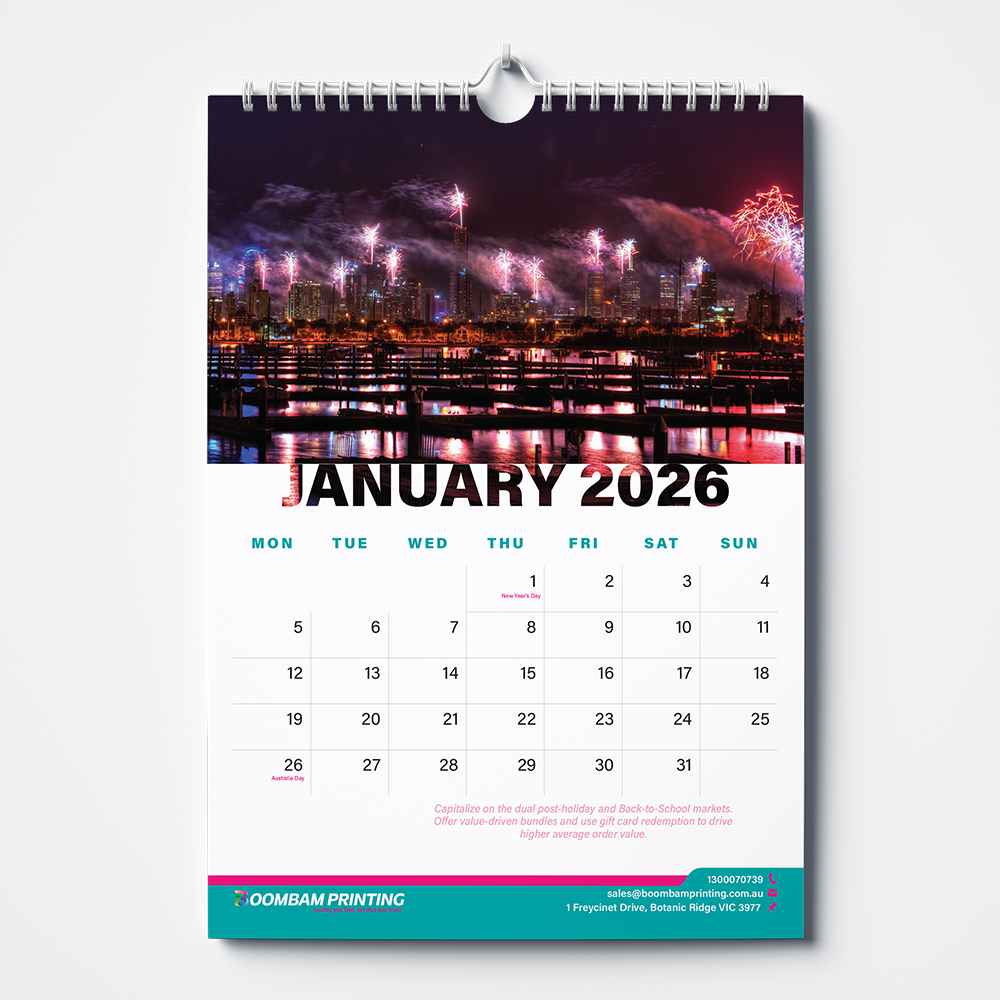
Wirebound Calendar

$ 11.00 Inc GST

Description

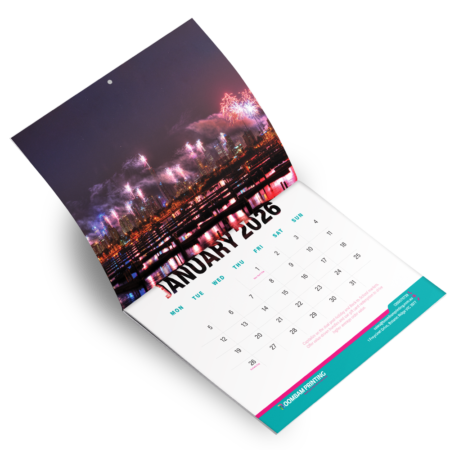
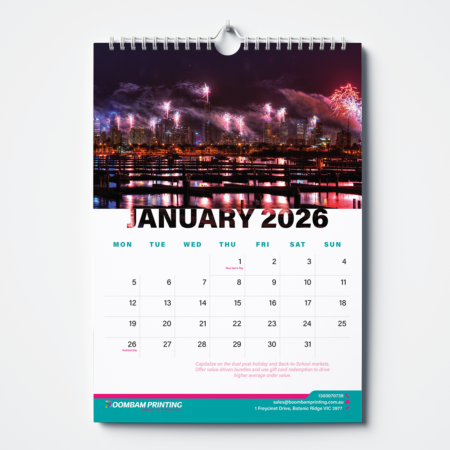
Wire Bound Calendar Printing Melbourne is ideal for businesses, offices and professional wall displays. The durable twin-loop binding allows each page to rotate 360 degrees, making it easy to view and use throughout the year. Each Wire Bound Calendar includes a sturdy 250gsm cover and thick 170gsm inner pages for a clean, professional finish. The quality paper helps reduce edge curling and keeps pages looking neat throughout the year.

A precision-drilled hole and thumb-cut hanger come standard, making each calendar easy to mount and display. Perfect for corporate offices, workplaces, business promotions, wall displays and year-round customer or client gifts. With durable materials and practical twin-loop binding. Best to keep your schedule visible throughout the year.

Have another printing project in mind? Explore our full range of printing products or request a quote to get started.
Additional information

Size

A3, A4, A5

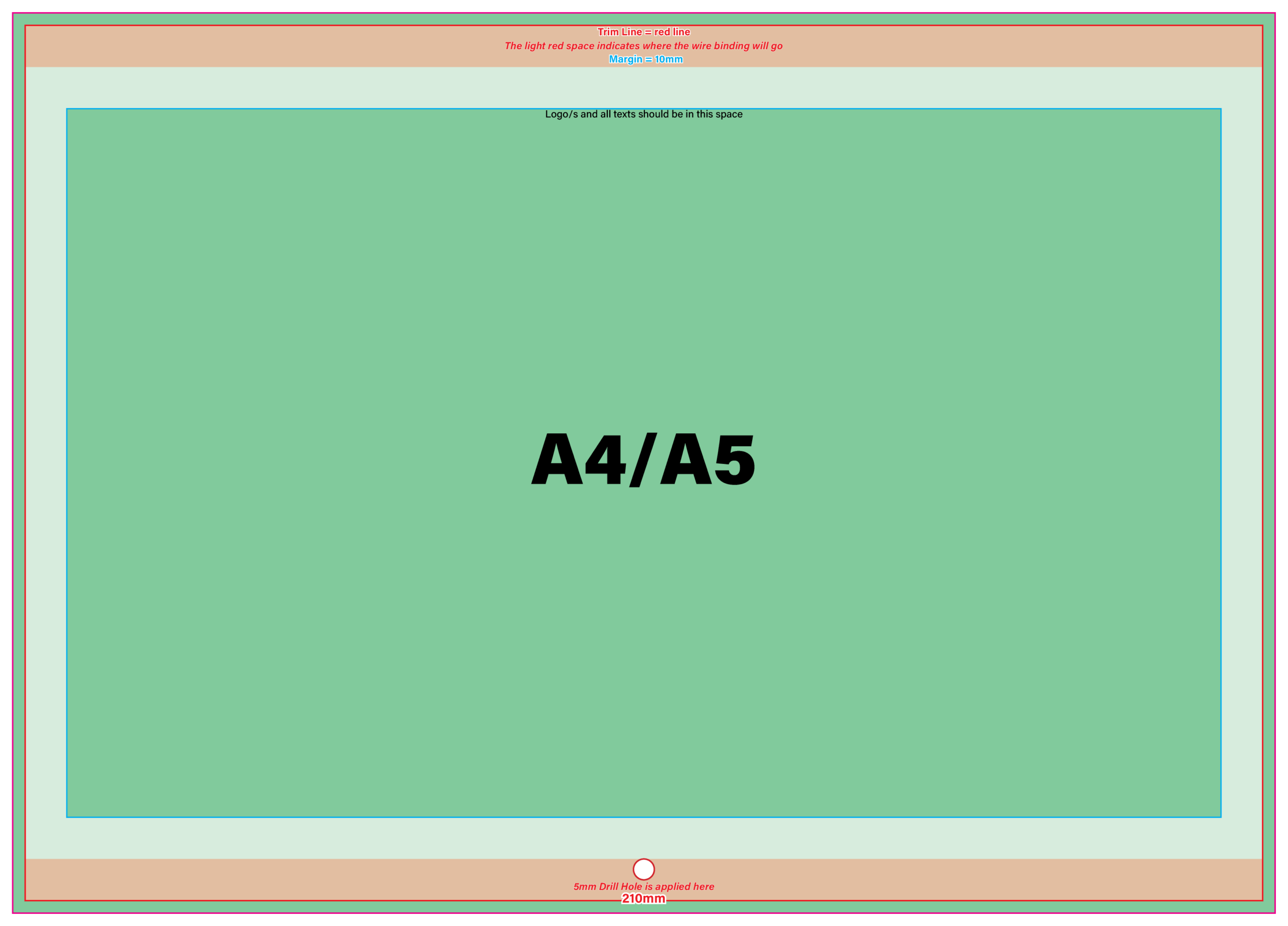
Print Ready Set-up Instructions


Calendar A4 Wire Bound Template

Calendar Wire Bound

View Full Template

Canva

1. Go to File > Settings and select "Show Print Bleed". A dashed line will appear around your design workspace.
2. Click "Share" > "Download". Select "PDF Print" as the file type to ensure 300dpi output.
3. Check "Include crop marks and bleed". If using Canva Pro, select "CMYK" as the color profile.

Adobe InDesign

1. For New files:
1.1. Click "New File", choose a document size, or type the size in Width and Height.
1.2. In the "Bleed and Slug" part, enter the size of the bleed (3mm).
1.3. Click "Create".
2. For Finished designs:
2.1. Open the "Properties" tab, or click "Export".
2.2. Save the file with your preferred file name, inside your preferred folder.
2.3. Under "Marks and Bleeds" Check the measurement in "Bleeds". You can change the bleed measurement by unchecking the "Use Document Bleed Settings". Make sure that the bleed is 3mm for all sides.
2.4. Click "Export".

Adobe Illustrator

1. For New files:
1.1. Click "New File", choose a document size, or type the size in Width and Height.
1.2. In the "Bleed" part, enter the size of the bleed (3mm).
1.3. Click "Create".
2. For Finished designs:
2.1. Go to File and click "Save As".
2.2. Click on the dropdown of "Save as type", select "Adobe PDF".
2.3. Under "Marks and Bleeds", Check the measurement in "Bleeds". You can change the bleed measurement by unchecking the "Use Document Bleed Settings". Make sure that the bleed is 3mm for all sides.
2.4. Click "Save PDF".
We Accept: .pdf | InDesign File (.indd) | Illustrator File (.ai, .eps) | Image Assets: 300 DPI
We Don't Accept: JPEG / JPG, Microsoft Word, Publisher file

Note: If your file is in Microsoft Word or Publisher, export the file to PDF. You can manually add bleed by adjusting the paper size, add 6mm to the length and another 6mm to the width, giving them 3mm bleed on all sides.

(ex: If your page size is an A4, which is 210mm x 297mm, then adjusted size will be 216mm x 303mm)

  • In Microsoft Word: Layout > Size > More Paper Sizes.
  • In Microsoft Publisher: Page Design > Size > Page Setup.

Then, adjust the margins accordingly. (ex: If the margin is 8mm, add 3mm for all sides)

How do I place an order?

Most of our custom printing products can be ordered through a Request a Quote. Simply provide your requirements and artwork, and our team will review your request and contact you with the next steps. No account or login is required.

Can I order directly from the product page?

Yes. Products with available online pricing can be ordered directly from the product page. You can select your preferred:

  • Size and quantity
  • Paper or material
  • Finish and available options

Do I need my own artwork?

No. If you already have print-ready artwork, you can upload it with your order at no additional artwork charge. If you need help creating or adjusting your design, our design services are also available for an additional fee.

Can I request a custom quantity or specification?

Yes. If you need a specific quantity, size, finish, or other requirement that isn't listed on the product page, simply submit a Request a Quote with your requirements. Our team can help find the right option for your order.

How long does printing take?

Turnaround depends on the product, quantity, finishing, and artwork requirements. Many standard products are completed within 2–3 business days, while products such as business cards may take around 3–5 business days. Special finishing or larger orders may require additional time, which we'll confirm with your order.

Wirebound Calendar
You're viewing: Wirebound Calendar $ 11.00 Inc GST
Select options
Select the fields to be shown. Others will be hidden. Drag and drop to rearrange the order.
  • Image
  • SKU
  • Rating
  • Price
  • Stock
  • Availability
  • Add to cart
  • Description
  • Content
  • Weight
  • Dimensions
  • Additional information
Click outside to hide the comparison bar
Compare

Boombam Printing delivers premium custom printing in Melbourne with expert support, fast turnaround, and consistent, high-quality finishes for businesses, events, and marketing materials.

Yes. We provide professional printing solutions for corporate branding, retail promotions, events, and marketing campaigns across Melbourne.

Yes. Our team provides professional design guidance to ensure your artwork is print-ready, aligned correctly, and presented with a polished finish.

Turnaround times depend on product type and quantity, with most standard printing orders completed within 2–3 business days in Melbourne.

Yes. We offer fast turnaround and urgent printing services in Melbourne for business cards, posters, flyers, and marketing materials.

Boombam Printing delivers premium custom printing in Melbourne with expert support, fast turnaround, and consistent, high-quality finishes for businesses, events, and marketing materials.

Yes. We provide professional printing solutions for corporate branding, retail promotions, events, and marketing campaigns across Melbourne.

Yes. Our team provides professional design guidance to ensure your artwork is print-ready, aligned correctly, and presented with a polished finish.

Turnaround times depend on product type and quantity, with most standard printing orders completed within 2–3 business days in Melbourne.

Yes. We offer fast turnaround and urgent printing services in Melbourne for business cards, posters, flyers, and marketing materials.

Shopping cart close